
Quick start (admin)
The shortest path from "I have a kilasec account" to "I can see AI traffic from my network on the dashboard."
What you need
- An invite link to your kilasec workspace (you received one from your admin, or you minted one yourself if you're the owner).
- One machine on your LAN that can run Docker. This is your collector — it sits on-prem, decrypts AI traffic, runs the policy engine locally, and forwards decisions (not raw payloads) to the cloud.
- Optional: SSH access to your DHCP server, for the richest agent-naming.
1 — sign in
Open your invite link in a browser:
https://kilasec.com/auth/invite/<code>You set a password and land on your dashboard. Until traffic is flowing it shows a first-run checklist that walks you through the next steps.
2 — install a collector
Go to Collectors → Add collector to get your enrollment code and a one-line install command, then run it on the LAN host you've chosen for the collector. The short version:
curl -fsSL https://kilasec.com/install | sh -s -- --enroll <code>The installer drops a systemd unit, pulls the docker image, and starts the collector. It will report "online" on the dashboard within ~30 seconds.
→ See Install a collector for the long form, including manual install (no curl-to-shell) and the third-machine "agent host" pattern.
3 — point traffic at it
Once the collector is up, AI traffic from any LAN host needs to go through its proxy (:8080) and trust your tenant CA. Two ways:
- DHCP-pushed PAC — the kilasec installer can hand a PAC URL to your DHCP server; every device gets the proxy config automatically.
- Per-host — set
HTTPS_PROXY=http://<collector-ip>:8080and install the CA cert on the machines you want kilasec to see.
→ Detailed instructions are on Setup Network.
4 — see traffic show up
Hit https://kilasec.com/app/:
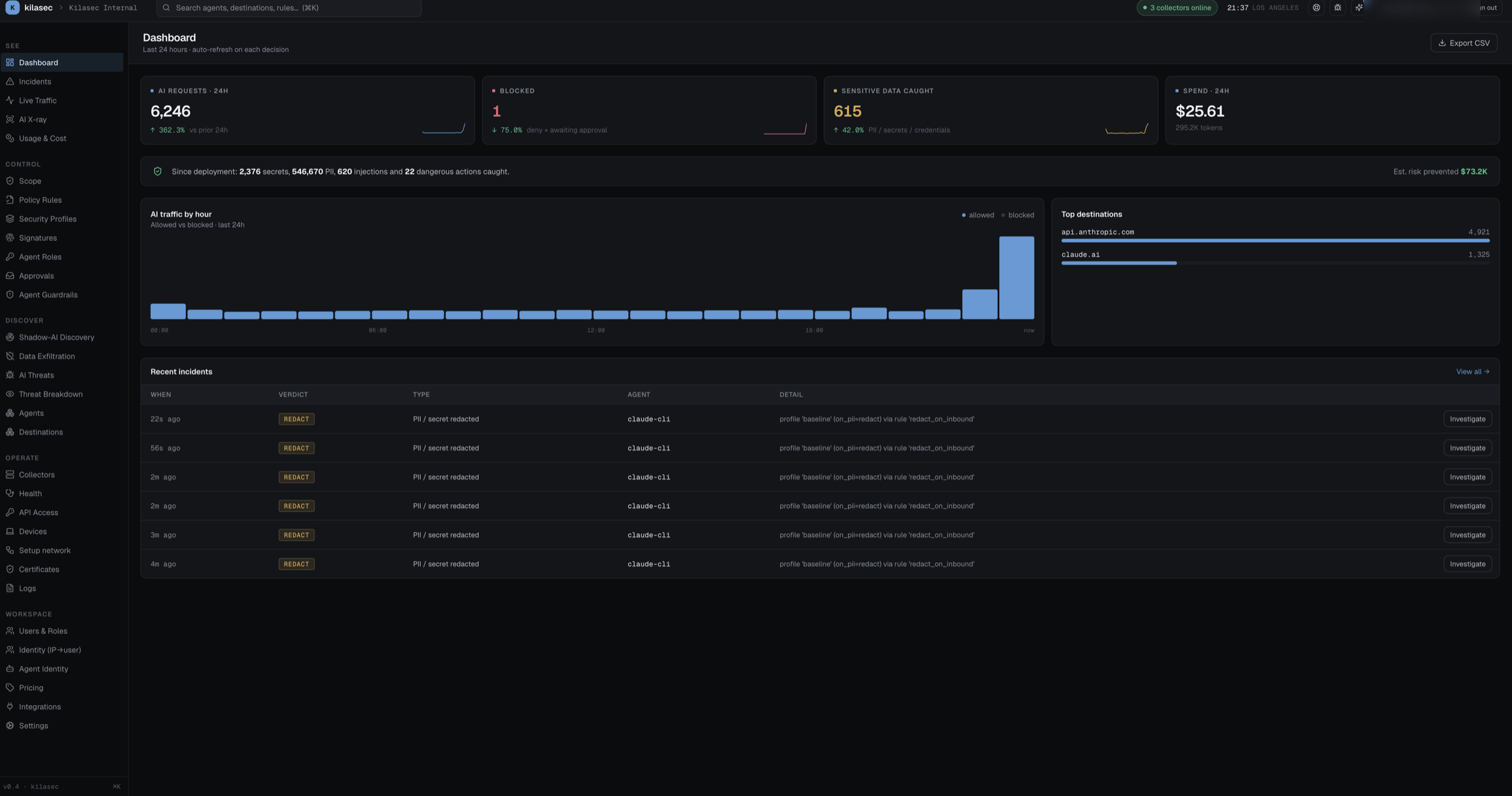
- Dashboard — KPIs and a 24-hour stacked chart will start populating within seconds.
- Live Traffic — every decision streams in via SSE.
- Agents — each distinct source gets one card. If your network is DHCP/DDNS-aware, hostnames appear automatically; otherwise you'll see IP-based clusters that you can name with one click.
What to do next
- Write your first policy rule: Writing policy rules
- Understand the verdict model: Decisions & verdicts
- Name the unnamed sources: Naming agents