
Agents tab
The agent inventory for kilasec. Every distinct agent identity seen calling the policy engine gets one card, summarising what it's been doing and where it's been calling.
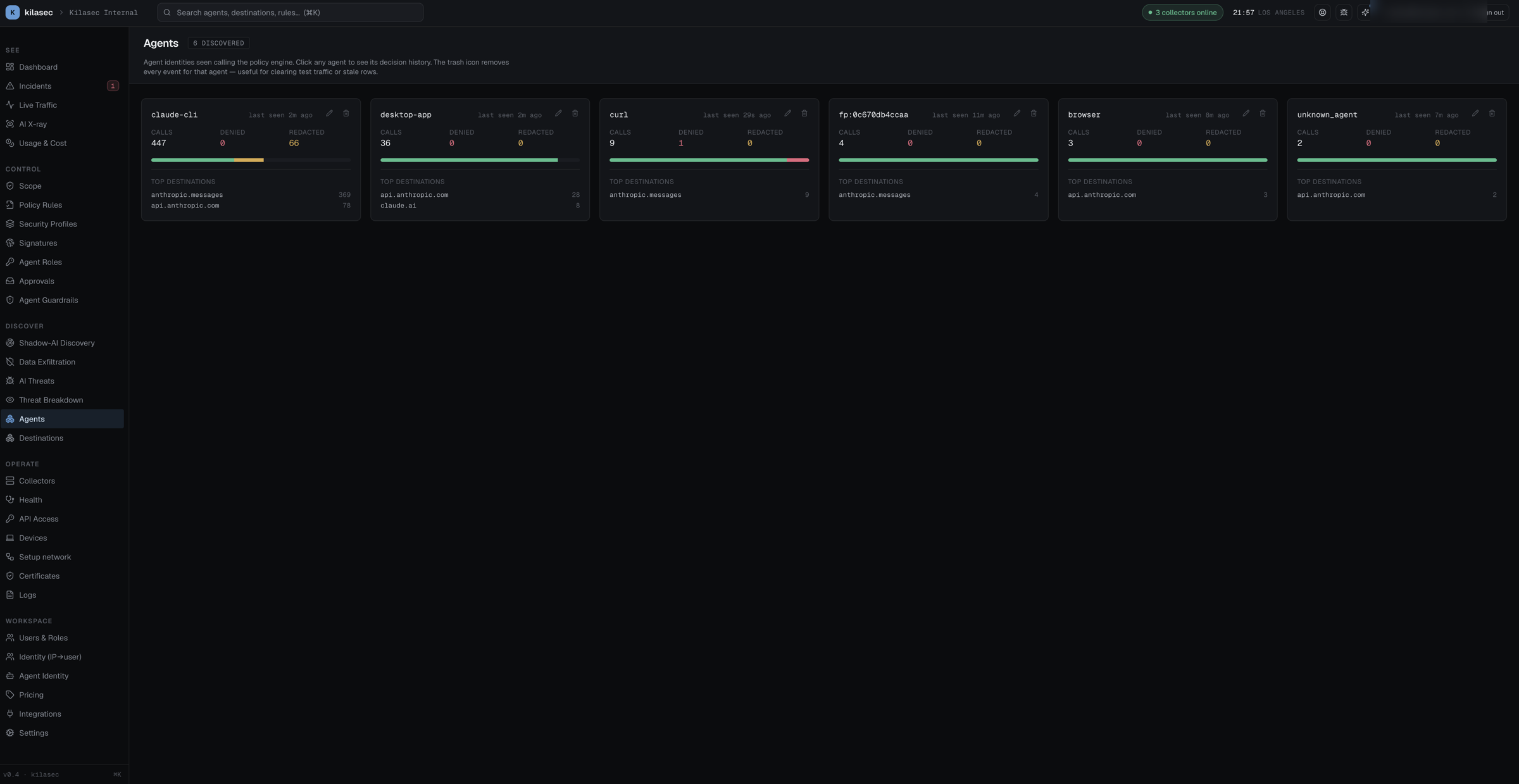
Layout
- Header — title, count ("12 discovered"), short blurb.
- Cards — two-column grid, one card per agent name observed in recent traffic.
Cards are derived from the loaded decision stream, grouped by the agent name on each event. Traffic the collector couldn't attribute to a named agent shows up under unknown_agent — see Naming agents for how to get real names onto the wire.
Card content
Every card shows the same shape:
Header row:
- The agent name (mono).
last seen <X> agoon the right.
Stats:
calls · denied · redacted — counts over the loaded events, with denied in red and redacted in amber.
Verdict-mix bar:
A thin stacked bar showing the proportion of allow / log / redact / approve / deny across the agent's calls — the same verdict palette used everywhere in the SPA.
Top destinations:
The four most-hit destinations for this agent, with counts.
Actions
- Click a card — jumps to Live Traffic filtered to that agent, for the full decision history.
- Trash icon (top-right of each card) — deletes every event for that agent, after a confirmation. Useful for clearing test traffic or stale rows; the card disappears once the events are gone. This cannot be undone.
When to use the Agents tab
- Onboarding — a quick sanity check that the agents you expect are showing up, and that traffic isn't piling under
unknown_agent. - Audit prep — confirm every agent in the grid is one you recognise before a quarterly review.
- Investigation — from a suspicious event on Live Traffic, come here for the agent's full picture: verdict mix, top destinations, when it was last seen.
→ See Naming agents for the playbook, and Concepts: Identity model for how agent identity is resolved.