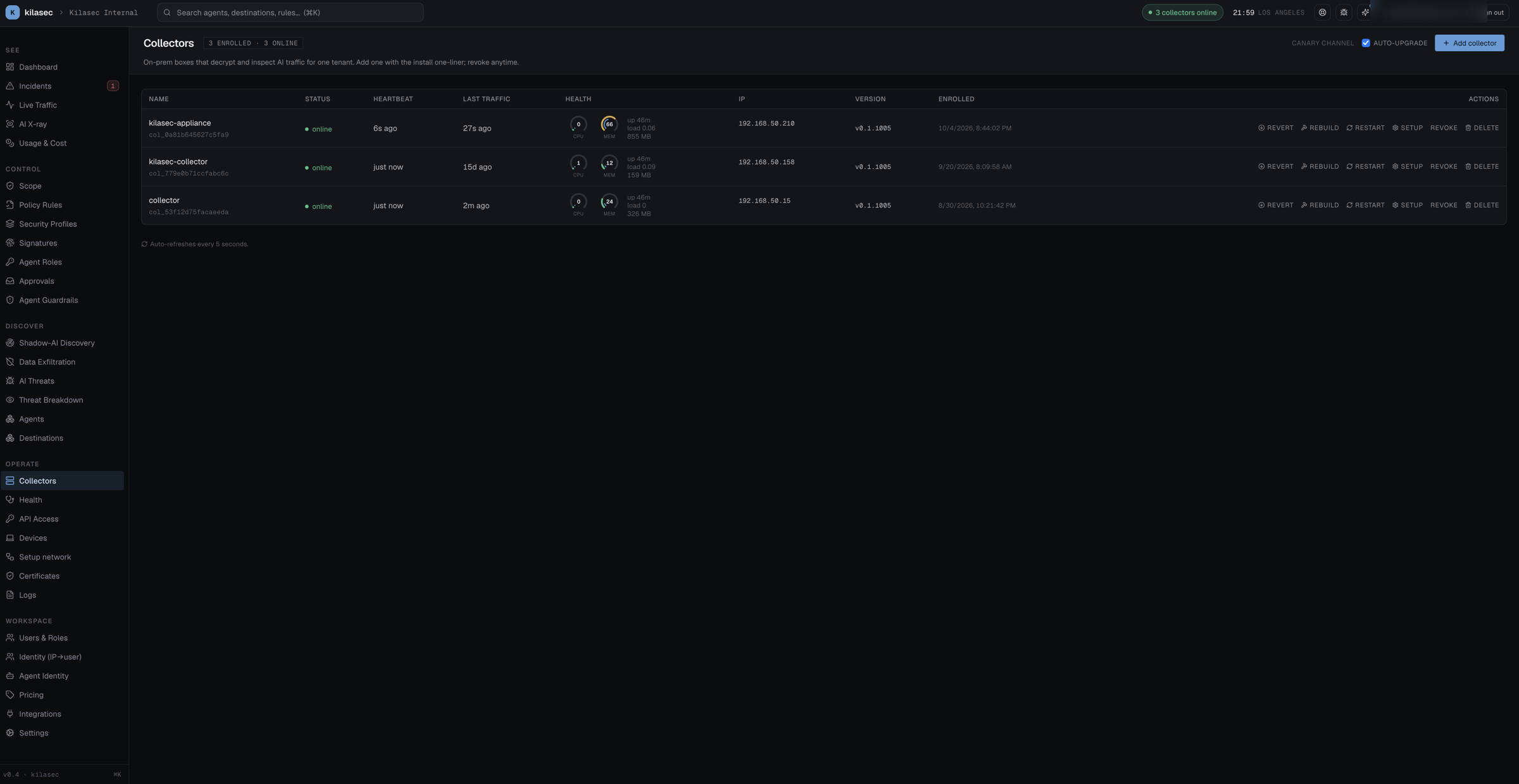
Collectors tab
Inventory of every collector that's enrolled to this tenant. Newly enrolled collectors land in a pending-approval section at the top; nothing flows until you approve them.
Each row: friendly name (click for the per-collector setup panel — CA cert, PAC URL, verification), collector id, status pill (online / offline; revoked and rejected rows are labelled as such), last-seen and last-event timestamps, source IP, version (with an update badge when a newer release is available), enrolled date, and inline actions:
- Restart — tells the collector to exit; its supervisor brings it back fresh. Recovers a stuck container.
- Rebuild — rebuild the collector image, then restart. On a production collector this falls back to a plain restart.
- Update — shown when a newer release is available; restarts the collector to pull the new image.
- Revoke — invalidates the collector's token; the collector goes offline immediately.
- Revoke offline / Remove revoked (bulk, in the header) — clean up after decommissioned hosts.
For installation, see Install a collector.