Editor
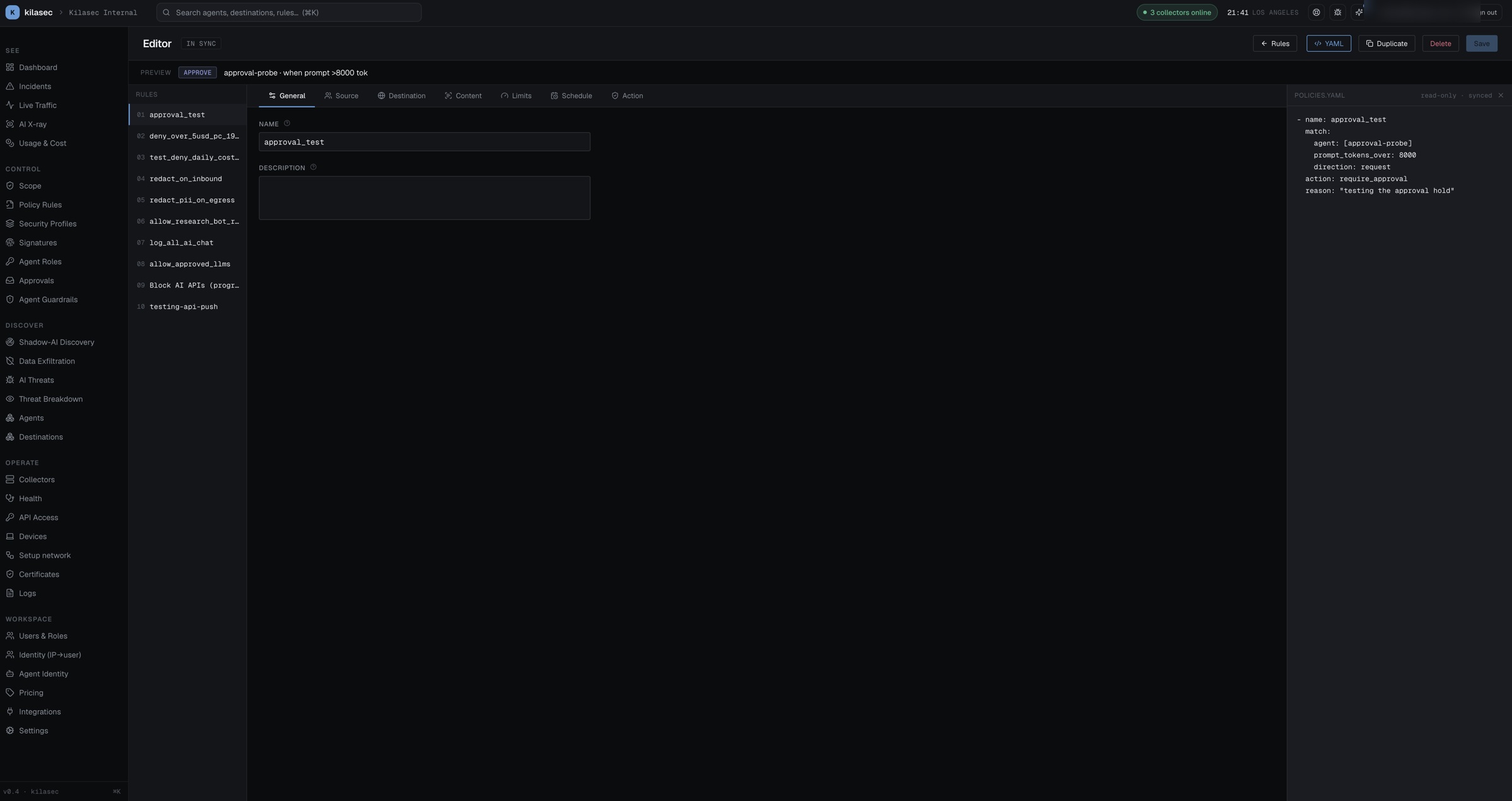
The Editor is the tabbed form + YAML view for a single policy rule. Reached from Policy Rules → click a row, or from "+ New rule".
- Rules list (left) — every rule by order + name; click to switch which rule you're editing.
- Preview bar — a sticky one-liner under the header that renders a plain-English summary of the current draft in real time (verdict pill + "group:engineering · LLM prompt · to api.anthropic.com …").
- Tabs (center) — seven tabs, NGFW-style:
- General — name + description.
- Source — agent / user / user groups / workload / workload labels / source IP or network.
- Destination — request type, hosts (with vendor quick-add presets), tools, models, governance toggles, and MCP method / tool / resource.
- Content — Direction (which leg the rule inspects — see Policy semantics), the content matchers (PII, secrets, prompt injection, bulk data, destructive action), signature groups, and argument checks.
- Limits — spend, call-volume, and message-size caps.
- Schedule — days, hours (wraps midnight for after-hours windows), timezone.
- Action — the decision + reason, and the Security Profile that transforms matched content.
- Chip inputs — list fields (agents, users, groups, hosts, tools, models) are tag-style: type and press Enter/comma to add, click × to remove, with autocomplete drawn from observed traffic, the identity table, and registered destinations.
- YAML drawer (right, opt-in) — toggle the YAML button to see a live, read-only preview of the rule as it will appear in
policies.yaml. - Buttons — YAML toggle, Delete (hidden on built-in system rules), Save (disabled when there's no diff).
For the rule grammar see Writing policy rules and Policy semantics.